Compatibility
- All Tesla and non-Tesla cars (using a J1772 to Tesla adapter such as the TeslaTap)
- All mobile phone based bitcoin lightning wallets (including submarine swap, ecash, and taproot asset wallets)
What is a bitcoin lightning wallet?
A bitcoin lightning wallet allows for private and instant bitcoin payments with low fees. Bitcoin is global, decentralized, and has a fixed supply. Bitcoin is extremely secure and resistent to manipulation.
Examples of bitcoin lightning wallets:
NOTE: Bitcoin is abbreviated BTC and the satoshi (sat) is just a very small unit of bitcoin. 1 sat = 0.00000001 BTC = 10-8 BTC.
Mobile Phone Requirements
- Internet access
- A bitcoin lightning wallet installed
- Funds in the bitcoin lightning wallet
- Working camera (to read QR codes) or Near Field Communication (NFC) support
Charging Workflow
- Initial Deposit Payment
- Charge Car
- Final Payment
- Initial Deposit Returned
Usage
Initial Deposit Payment
The Distributed Charge - EV Payment Module presents a bitcoin lightning invoice for a deposit and is waiting for payment.
NOTE: The deposit you need to pay will typically be enough to pay for 250kW*hours of energy, which is enough to recharge a dead battery of an electric truck in cold weather (a worst case). The actual invoice amount will be based on the on the current sale rate (which is in terms of sat/(kW*hour)).
Option A: Scan QR Code
- Unlock your phone
- Open your bitcoin lightning wallet
- Enter the QR code scanning mode to "Send"
- Scan the QR code in the center of the Payment Module's screen
- Your bitcoin lightning wallet should and ask you if you want to confirm the payment
- Confirm the payment
|
Initial Screen

Option B: Tap with NFC
- Unlock your phone
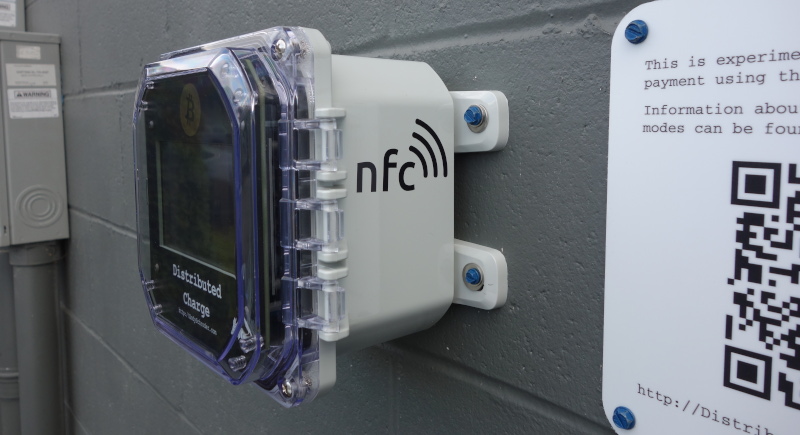
- Tap "NFC" on the right side of the Payment Module
- Your bitcoin lightning wallet should open automatically and ask you if you want to confirm the payment
- Confirm the payment
|
NFC
Charge Car
After paying the deposit, the amount held in the deposit will be displayed on the screen.
NOTE: Your lightning wallet will indicate that the payment is pending, and will stay this way for the remainder of the charge session.
|
Power On
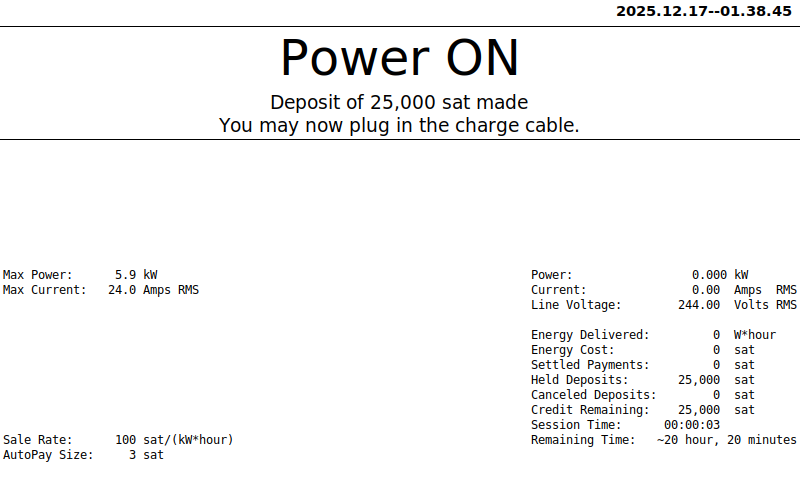
At this point you can insert the charge cable into your vehicle (and use an adapter like the TeslaTap if your vehicle does not have a Tesla style charge port).
|
Charging

NOTE:
- While charging, the Credit Remaining will continually decrease as energy is delivered to your vehicle's battery.
- The held deposit must be settled in a finite amount of time, the Remaining Time displayed on the screen indicates how long that is possible. This amount of time depends on how your lightning wallet routed the deposit, but it should be at least 19 hours.
Final Payment
When you are finished charging, remove the charge cable from the vehicle (and the adapter if you needed one).
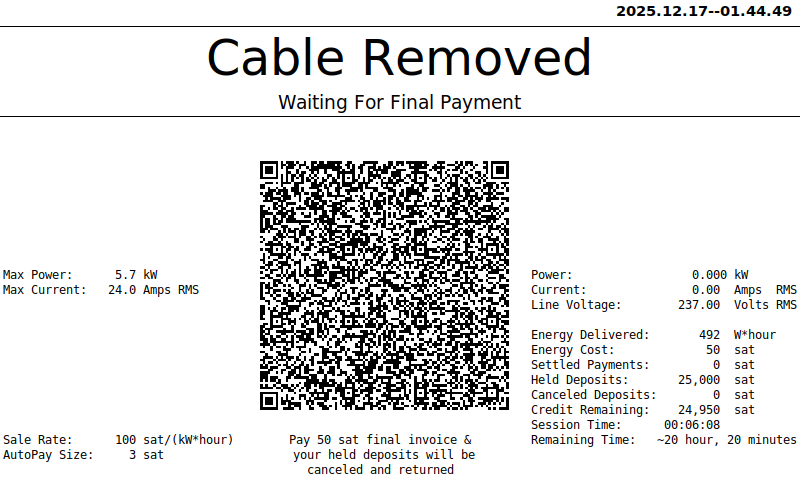
A final invoice will be presented.
To make the final payment, repeat the same process that was used above to pay the initial deposit.
|
Waiting For Payment
NOTE:
- The final invoice amount will be for the exact amount of energy that was consumed charging your battery.
- If you pay this final invoice, the entire intially held deposit will be automatically canceled and returned to your lightning wallet.
- Depending on how your lightning wallet displays canceled payments, that pending pay may disappear from your transaction history, indicate it was cancelled, or indicate that it failed.
- If you don't pay the final invoice before Remaining Time on the screen approaches 0, the entire initial deposit will be settled.
- This is true even if your car finishes charging and you keep it plugged into the vehicle
- If you unplug the charge cable but change your mind and don't want to pay the final invoice yet, you can plug the charge cable back into your vehicle. At this point the final invoice will disappear from the screen and when you remove the charge cable again, a new final invoice will be generated for the new final invoice amount after additional charging occured.
- Because of this, if you forget to pay the final invoice before leaving, someone else can pull up and consume the rest of your initial deposit, so don't forget to pay before you leave!
Initial Deposit Returned
|
Payment Received
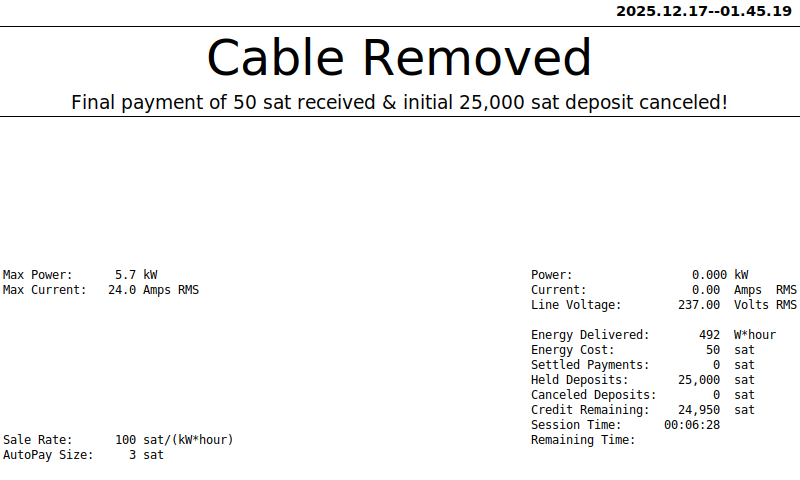
Returned To Initial Screen
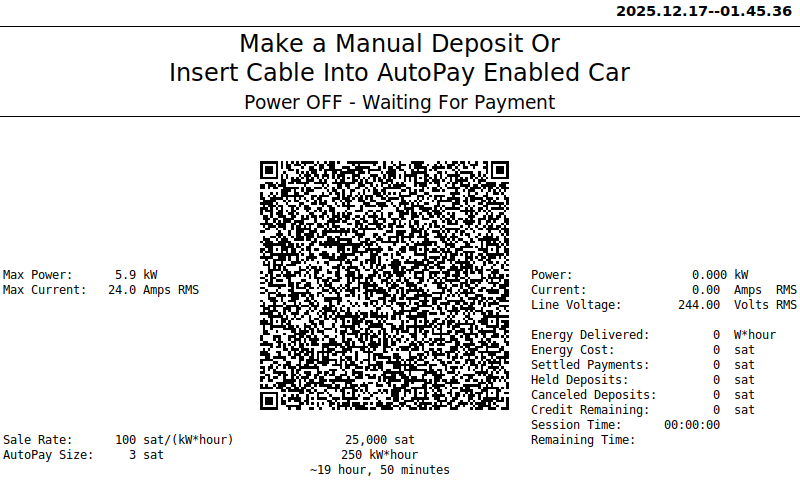
(ready for next customer)
Problems?
Please get in touch!
This is weird, why do I have to make two payments instead of getting an automatic partial refund?
- Bitcoin lightning payments are sent privately, so there is no way to know how to automatically send a partial refund back.
- There currently is not a standard protocol for bitcoin lightning wallets to automatically send a refund invoice along with their initial payment.
- Making a second payment proves that you were the one that made the initial deposit because no one else has any incentive to make that final payment but the person that would receive the initial deposit back. Although someone can still get free energy if you forget to make the final payment, that free energy is delivered much slower than a partial refund payment and it is only after you disconnect the charge cable and move your car out of the way (which is your fault).
- This workflow works with all mobile phone based lightning wallets, including submarine swap, ecash, and taproot asset wallets
|
|